
TECLAST T65
4.4Product rating
13.4-inch 120Hz display
Android 16 with GMS
128GB expandable storage
Finding the right tablet in 2026 means matching screen size, display comfort, battery endurance, and storage to how you actually plan to use the device. We compare 10 standout tablets by the factors that shape daily ownership, including paper-like reading, stylus support, streaming quality, and portability.
Tablets now split into distinct families: large-format Android models built around sheet music and document work, compact entertainment tablets, and premium paper tablets for handwriting. Understanding which family fits your routine matters more than chasing the highest rating on a spec sheet.
We compared these tablets on display size and resolution, eye-comfort features, processor and memory, built-in storage and expansion, battery capacity and charging speed, stylus and pen support, streaming certification, and everyday portability. Where data was available, we also weighed customer-rating snapshots and price positioning to help you judge value without overpaying for features you may never use.
4.4Product rating

4.4Product rating

4.3Product rating
The table below lines up the ten tablets in this guide by the specifications that most often decide a purchase: screen size and type, memory and storage, battery capacity, and stylus support. Use it to narrow the field before reading the full reviews.
Swipe across to compare all columns
| Product | Key highlights | Rating | Explore |
|---|---|---|---|
Best overall TCL NXTPAPER 14 | 14.3-inch 2.4K display 8GB RAM, 256GB storage 10000mAh reverse charging 4096-level T-PEN stylus | 4.4Product rating | Check Price |
 Best for Sheet Music 15.6-Inch Sheet Music Tablet | 15.6-inch FHD IPS 6GB RAM, 128GB storage 12000mAh battery 32MP score scanning camera | 4.1Product rating | Check Price |
Best value TECLAST T65 | 13.4-inch 120Hz IPS 6GB RAM, 128GB storage 8000mAh battery 4G LTE support | 4.4Product rating | Check Price |
 Best for Streaming 15.6-Inch Widevine L1 Tablet | 15.6-inch FHD IPS 8GB RAM, 256GB storage 12000mAh battery Widevine L1 streaming | 4.1Product rating | Check Price |
 Best for Multitasking 15.6-Inch Helio G99 Tablet | 15.6-inch FHD IPS 12GB RAM, 128GB storage 12000mAh battery Widevine L1 streaming | 4.2Product rating | Check Price |
 Best value Amazon Fire HD 10 | 10.1-inch 1080p display 4GB RAM, 32GB storage 13-hour video playback Refurbished Like-New unit | 4.5Product rating | Check Price |
 Best for Travel TECLAST 13-inch 4G Tablet | 13.4-inch 120Hz IPS 6GB RAM, 128GB storage 4G LTE and GPS 720g lightweight body | 4.4Product rating | Check Price |
Premium pick reMarkable Paper Pure | 10.3-inch paper display 21 ms ink latency Marker Plus included Folio sleeve included | 4.3Product rating | Check Price |
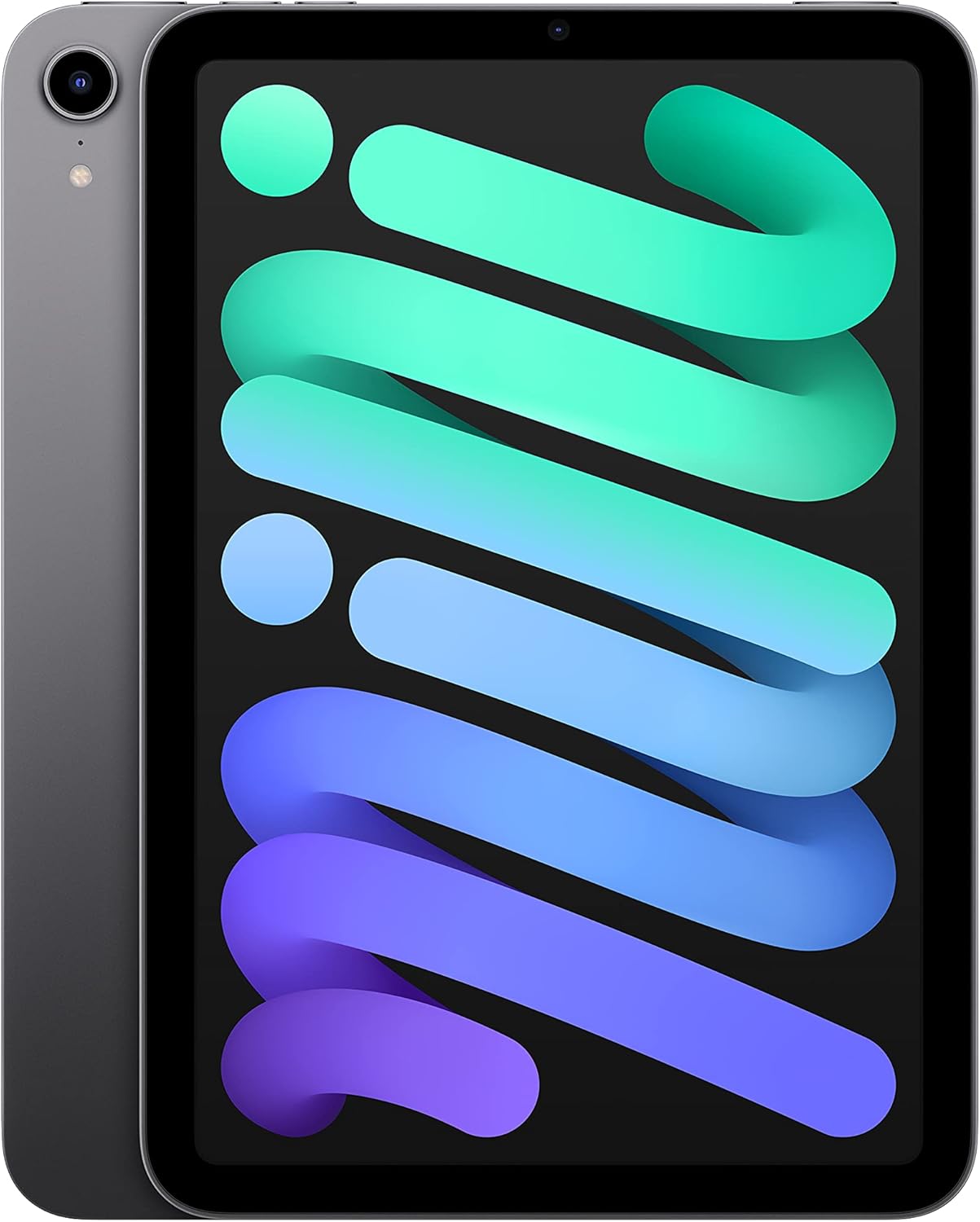 Best Compact Tablet Apple iPad mini 6 | 8.3-inch Liquid Retina A15 Bionic chip 64GB storage Wi-Fi 6 connectivity | 4.8Product rating | Check Price |
 Best for Long-Term Updates Samsung Galaxy Tab A11+ | 11-inch WUXGA 90Hz 8GB RAM, 256GB storage 7040mAh 25W charging 7 years OS updates | 4.7Product rating | Check Price |
The TCL NXTPAPER 14 is built for people who spend long stretches reading, sketching, or annotating on screen and want that experience to feel closer to paper than to glass. It sits at the larger end of the tablet market with a 14.3-inch panel, which gives documents, sheet music, and split-screen layouts room to breathe. Students, artists, and musicians are the clearest audience here, but anyone who reads dense PDFs for hours will notice the difference a matte-style display makes.
The centerpiece is NXTPAPER 3.0, which cuts glare and filters blue light while supporting DC dimming. In practice, that matters most in bright rooms or during long reading sessions where a glossy screen would force you to angle the device away from light. The NXTPAPER Key switches between Standard, Color Paper, and Ink Paper modes, so you can move from crisp app use to a warmer comic-reading tone to a low-contrast writing view without digging through settings. The included 4096-level T-PEN adds pressure-sensitive drawing and note-taking without a separate purchase.
Under the hood, the MediaTek Helio G99 and 8GB of RAM keep Android 15 responsive for study apps, multi-window work, and media playback. The 256GB of built-in storage is generous for a tablet at this price, though the lack of microSD support means you should plan your storage needs before buying. The 10,000mAh battery recharges in roughly two to three hours with a 33W charger, and reverse charging lets you top up a phone or earbuds in a pinch. Just note that no charger is included, so factor that into your setup cost.
The tradeoff is straightforward: this is a large, productivity-leaning tablet rather than a one-handed entertainment device. Its 1.67-pound body and 14.3-inch screen are comfortable on a desk or lap with the included flip case, but not ideal for commuters who want something pocketable. If you mainly stream shows and browse in bed, a smaller tablet will feel more natural. If you want a paper-like canvas for notes, sketches, and documents, this is the most complete package in this group.
Standard Mode is best for apps, video, and anything where color accuracy matters. Color Paper Mode softens the palette for comics and digital art, while Ink Paper Mode strips color back for a reading and writing surface that resembles e-ink. Switching modes takes a moment, so it helps to decide which mode suits your main task before you start a session rather than toggling mid-work.
Buyers who need expandable storage should look elsewhere, because the NXTPAPER 14 does not accept a microSD card. Travelers who want a charger in the box will also need to budget for one separately. And if you primarily want a compact tablet for one-handed reading or streaming, the 14.3-inch size will feel like more tablet than you need.
We may earn a commission when you buy through this link, at no additional cost to you.
This 15.6-inch Android tablet is aimed squarely at musicians who read digital scores, lead sheets, chord charts, and guitar tabs on stage or in rehearsal. The larger panel means fewer page turns and less zooming, which is exactly the kind of practical benefit that matters when both hands are busy. It also suits anyone who wants a big-screen reading and streaming device at a mid-range price.
The 1920 x 1080 IPS display gives you a wide viewing area, and the Helio G99 processor running Android 16 handles sheet-music apps, metronomes, tuners, and split-screen practice workflows without obvious strain. The 32MP rear camera is the standout feature for musicians: it lets you scan printed scores and handwritten notes into digital form, which is a real time-saver for building a searchable library. Four independent speakers provide clear audio for backing tracks and tutorials.
Memory is listed as a 12GB configuration built from 6GB physical RAM plus up to 6GB of virtual expansion, so treat the physical figure as the number that matters for heavy multitasking. The 128GB of built-in storage is workable for scores and apps, and microSD expansion up to 1TB gives you room to grow. The 12,000mAh battery is sized for long rehearsals and lessons, though Wi-Fi-only connectivity means you will need to plan downloads ahead of travel.
The main limitation is that no touchscreen stylus is included, so annotating scores by hand requires a separate purchase. The tablet is also Wi-Fi only, with no SIM slot, which is fine for home practice but less convenient for gigging musicians who rely on cloud access on the road. If you want a large, affordable score display and do not mind adding a stylus, this is a strong fit.
Use the 32MP camera in good lighting and keep pages flat when scanning printed music, then store the resulting PDFs in a folder structure that matches your setlists. Because the tablet supports microSD expansion, you can keep a large archive of scores offline and avoid depending on a venue's Wi-Fi.
Musicians who annotate heavily with a stylus should budget for one, since none is included. Performers who need cellular data at gigs should choose a 4G-capable model instead, because this tablet is Wi-Fi only.
We may earn a commission when you buy through this link, at no additional cost to you.
The TECLAST T65 targets buyers who want a large-screen tablet without paying large-screen prices. Its 13.4-inch 1920 x 1200 display and 120Hz refresh rate put it in direct competition with pricier 13-inch tablets, and the pre-installed tempered glass is a small but welcome touch that saves you an accessory purchase. Students, commuters, and families sharing a device are the most natural fit.
The 120Hz refresh rate is the headline feature at this price. It makes scrolling, touch response, and casual games feel noticeably smoother than the 60Hz panels common in budget tablets, and adaptive refresh helps balance smoothness against battery life. TDDI touch technology reduces layers for better light transmission, which helps the screen stay bright and readable. Widevine L1 support means compatible streaming apps can play in HD.
The T7280 octa-core processor and 6GB of physical RAM handle everyday apps, online classes, and document editing, though the advertised 32GB figure combines physical and virtual memory, so plan around the physical amount for heavy multitasking. The 128GB of storage expands up to 1TB via microSD. The 8000mAh battery and 720g body keep it portable for a 13-inch device, and Android 16 with full GMS certification includes parental controls for family use.
The catch is cellular support. The tablet lists 4G LTE, but its supported bands are limited and the manufacturer notes that US cellular service may be unstable or unavailable depending on your carrier. Treat 4G as a bonus for compatible regions rather than a guaranteed US feature. If you mainly use Wi-Fi and want a big 120Hz screen for the money, the T65 is one of the better values in this group.
Before relying on 4G, compare the tablet's listed LTE and WCDMA bands against your carrier's supported frequencies. If your carrier's bands are not on the list, plan to use the T65 as a Wi-Fi tablet rather than a mobile-connected one.
Buyers who need dependable US cellular data should choose a tablet with verified carrier compatibility. Anyone who expects the full 32GB as physical RAM should also look at models that advertise physical memory separately, because virtual RAM behaves differently under sustained load.
We may earn a commission when you buy through this link, at no additional cost to you.
This 15.6-inch tablet is a media-first large-screen option. The combination of a 1920 x 1080 IPS panel, Widevine L1 certification, and quad speakers makes it a natural fit for movies, concerts, tutorials, and family entertainment. It also works well for digital sheet music and PDFs, but the entertainment angle is where it makes the strongest case.
Widevine L1 is the detail that matters most for streaming. Without it, many apps cap playback at lower resolutions; with it, compatible services can deliver HD content. The FHD IPS display and quad speakers round out a setup that feels purpose-built for watching rather than merely capable of it. The Helio G99 processor and Android 16 keep browsing and split-screen use smooth.
The memory configuration is 16GB total, built from 8GB physical RAM plus up to 8GB virtual expansion, and the 256GB of built-in storage is the largest in this group's large-screen tier. That storage matters if you download movies or keep a big score library offline. The 12,000mAh battery supports extended viewing, and 30W PD charging is quicker than many budget tablets, though you should confirm whether a compatible charger is included before you rely on fast charging.
The clearest limitation is connectivity: this is a Wi-Fi-only tablet with no SIM slot, so streaming on the go depends on hotspots or downloaded content. Buyers who want a large, bright screen for home entertainment and do not need cellular data will find it a sensible choice. If mobile connectivity is essential, look at a 4G model instead.
After setup, check that your streaming apps recognize the device as Widevine L1 capable in their playback settings. If an app still limits resolution, updating the app and clearing its cache often resolves certification mismatches.
Travelers who need cellular streaming should choose a 4G tablet. Buyers who prefer a more compact device for bed or commute viewing may find the 15.6-inch panel too large for casual handheld use.
We may earn a commission when you buy through this link, at no additional cost to you.
This 15.6-inch Android tablet leans into multitasking. Its 12GB RAM configuration and 16:10 display are aimed at people who keep a score, a lesson, and a reference document open at the same time, or who want a big screen for reading and streaming without spending flagship money. Students and home users with desk space are the best fit.
The Helio G99 processor and Android 16 handle split-screen viewing well, and the 16:10 aspect ratio gives documents and PDFs a bit more vertical room than a 16:9 panel. Widevine L1 support means compatible streaming apps can play in HD, so the tablet doubles as an entertainment screen. The 1920 x 1080 IPS panel is sharp enough for text-heavy work and video alike.
The 12GB of RAM is listed as a straight configuration rather than a physical-plus-virtual combination, which makes it easier to reason about for heavy multitasking. Storage is 128GB, which is adequate for apps and downloaded media but worth watching if you keep a large video library. The 12,000mAh battery is sized for long sessions, but 15W charging is on the slower side, so plan to charge overnight rather than during a short break.
The main tradeoffs are charging speed and connectivity. If you routinely run the battery down and expect a quick top-up, the 15W charging will feel limiting compared with 30W models. And because it is Wi-Fi only, it is best suited to home or office use. Buyers who want a big split-screen workspace and do not need cellular data will find it a practical choice.
Pin your most-used apps to the sidebar so you can drag them into split-screen quickly. Keeping two or three apps in a saved pair reduces setup time when you sit down to study or practice.
Buyers who need fast charging should look at models with 30W or higher charging. Anyone who needs mobile data at rehearsals or while traveling should choose a 4G-capable tablet instead.
We may earn a commission when you buy through this link, at no additional cost to you.
The Fire HD 10 is the budget entertainment option in this group, and this particular listing is a refurbished Like-New unit that Amazon certifies to look and work like new with the same limited warranty as a new device. It suits buyers who mainly want to stream, read, browse, and hand a tablet to kids without spending several hundred dollars.
The 10.1-inch 1080p display is bright and colorful enough for shows and games, and the octa-core processor with 4GB of RAM handles streaming and reading smoothly. Battery life is rated at up to 13 hours of video playback, which is genuinely useful for long flights or lazy weekends. The strengthened aluminosilicate glass adds a measure of durability, and Amazon Kids parental controls make it family-friendly.
Storage is the main thing to plan around. The 32GB built-in capacity fills quickly once you install apps and download a few shows, so a microSD card is close to essential if you keep media offline. The tablet also runs Amazon's Fire OS rather than full Android, which means the Google Play store is not available and app selection is narrower than on the Android tablets here.
The tradeoff is ecosystem and storage rather than hardware. If you mostly consume Amazon content, read, and stream, the Fire HD 10 is hard to beat on price. If you need Google apps, heavy multitasking, or a stylus for note-taking, an Android or iPad model will serve you better. Buying refurbished also means accepting generic packaging and a device that has been through Amazon's testing process.
A Like-New Fire HD 10 carries the same limited warranty as a new device, so the main differences are packaging and the fact that the unit has been tested and reset. If the price gap is meaningful, refurbished is a reasonable way to get a capable media tablet for less.
Buyers who depend on Google Play apps should choose an Android tablet. Anyone who wants to store a large offline library without adding a microSD card should pick a model with more built-in storage.
We may earn a commission when you buy through this link, at no additional cost to you.
This TECLAST model is built for people who want a large screen without being tied to Wi-Fi. It pairs a 13.4-inch 120Hz display with 4G LTE, dual-band Wi-Fi, and built-in GPS, which makes it useful for commuting, business trips, and road travel. The 8.5mm-thin, 720g body is light for its size, so it is easier to carry than most 13-inch tablets.
The 1920 x 1200 IPS panel with TDDI touch technology is sharp and responsive, and the 120Hz refresh rate keeps scrolling and animations smooth. Widevine L1 support enables HD streaming on compatible apps. The A75-based octa-core processor handles everyday multitasking, apps, and media, and Android 16 with GMS means access to Google Play.
The memory headline is 26GB, but that combines 6GB of physical RAM with 20GB of extended virtual RAM, so the physical figure is the one to weigh for sustained multitasking. The 128GB of storage expands up to 2TB via microSD, which is generous for offline media and documents. Built-in GPS is a genuinely useful addition for navigation when you are traveling without a phone mount.
The main caveat is cellular band compatibility. 4G LTE support is real, but which bands are supported and how well they work varies by carrier and region, so check the band list against your provider before relying on mobile data. If you want a big 120Hz screen with GPS and 4G flexibility for travel, this is a well-rounded option. If you only use Wi-Fi at home, a cheaper Wi-Fi-only model may be a better use of money.
GPS works independently of cellular data, so you can download offline maps before a trip and still navigate. Pair the tablet with a car mount if you plan to use it as a travel display, and keep in mind that the 13.4-inch size may obstruct your view if placed poorly.
Buyers who do not need 4G or GPS can save money with a Wi-Fi-only tablet. Anyone who expects the advertised 26GB as physical memory should look at models that separate physical and virtual RAM clearly.
We may earn a commission when you buy through this link, at no additional cost to you.
The reMarkable Paper Pure is not a general-purpose tablet, and that is precisely the point. It is a paper tablet for people who think best with a pen: note-takers, meeting attendees, readers who annotate documents, and anyone who wants a screen that does one thing without inviting distraction. The third-generation 10.3-inch display is whiter and higher-contrast than earlier versions, and digital ink appears in just 21 ms.
The writing experience is the core of the product. The included Marker Plus and dozens of note-taking templates make it easy to start writing immediately, and the uncluttered interface keeps navigation simple. Handwritten notes can be converted to text, and tags and folders keep notes organized. The reMarkable apps and plugins let you send web articles, documents, and PDFs from services like Google Drive, Dropbox, and Microsoft Word to the tablet, then share finished notes by email.
Because it is a focused device, it does not try to compete with Android or iPad on apps, games, or streaming. That is a feature for buyers who find notifications disruptive, but a limitation for anyone who wants one device to do everything. The Ocean Blue Sleeve Folio protects the screen and completes the package, and the Marker Plus attaches magnetically for storage.
The biggest consideration is cost and the optional Connect subscription. Connect unlocks extras such as unlimited cloud storage, handwritten search, editing in the reMarkable apps, and sharing to tools like Slack and Miro. Without it, the tablet still handles core note-taking and document markup well. If you want a dedicated writing surface and are willing to pay for focus, the Paper Pure is excellent. If you need a versatile tablet for apps and media, choose an Android or iPad model instead.
The subscription mainly matters if you want unlimited cloud storage, handwritten search, or integrations with work tools like Slack and Miro. If you mainly take notes and review PDFs locally, the core device may be enough, and you can add Connect later if your workflow demands it.
Buyers who want a single device for streaming, apps, and games should choose a general-purpose tablet. Anyone who needs a color display for comics or video editing should look elsewhere, because the Paper Pure is intentionally black-and-white.
We may earn a commission when you buy through this link, at no additional cost to you.
The iPad mini 6 is the compact option in this guide, designed to deliver the full iPad experience in a device that fits in one hand. Its 8.3-inch Liquid Retina display and A15 Bionic chip make it a strong choice for commuters, students, and readers who want something more portable than a full-size tablet without giving up performance.
The A15 Bionic delivers fast performance for apps, note-taking, photo editing, and games, and the Liquid Retina display supports True Tone, P3 wide color, and low reflectivity for comfortable viewing. The 12MP Ultra Wide front camera with Center Stage keeps you framed during video calls, and the 12MP back camera captures photos and 4K video. USB-C connectivity makes it easy to connect accessories and transfer files.
The size is the defining feature. At 8.3 inches, it is comfortable to hold for long reading sessions and easy to slip into a bag, which makes it a better travel companion than the 13- to 15-inch tablets here. Apple Pencil 2 support turns it into a capable note-taking device, though the pencil and Smart Folio are sold separately. Touch ID in the top button handles unlocking and Apple Pay.
The clear limitation is storage: 64GB is modest for a device that can shoot 4K video and download large apps, and there is no microSD expansion. Buyers who keep a lot of media offline should consider the 256GB configuration or manage storage carefully. If you want a small, powerful tablet with a mature app ecosystem and are comfortable with the storage ceiling, the iPad mini 6 is the most polished compact option in this group.
An Apple Pencil 2 and a Smart Folio are sold separately, so factor both into your total cost if you plan to write or prop the tablet up. The pencil attaches magnetically and charges wirelessly, which keeps the setup simple.
Buyers who need a large screen for sheet music or split-screen work should choose a 13-inch or larger tablet. Anyone who stores a large offline media library should look at the 256GB model or a tablet with microSD expansion.
We may earn a commission when you buy through this link, at no additional cost to you.
The Samsung Galaxy Tab A11+ is the long-haul choice in this group. Its most distinctive feature is a commitment to seven years of system and security updates, which is far longer than most budget and mid-range tablets offer. That makes it a sensible pick for families, students, and anyone who wants to buy once and use the device for years rather than replacing it every two or three.
The 11-inch WUXGA display with a 90Hz refresh rate balances size and smoothness, and the MediaTek Dimensity 7300 chip handles study apps, social software, and casual games without trouble. The 8GB of RAM and 256GB of storage give you room for apps, documents, and media, and microSD expansion up to 2TB means you can add space later rather than paying for it upfront.
The 7040mAh battery with 25W fast charging supports all-day use, and the slim, lightweight body with stereo speakers makes it comfortable to carry and watch. Android 16 with AI Assist and the long update commitment are the practical benefits that separate it from cheaper tablets: you spend less time worrying about end-of-life software and more time using the device.
The main tradeoff is screen size and processing headroom. At 11 inches, it is smaller than the 13- to 15.6-inch tablets here, so it is less ideal for reading full sheet music or running two large documents side by side. The Dimensity 7300 is a capable mid-range chip but not a flagship, so heavy gaming and demanding creative apps will feel slower than on premium devices. If long software support, generous storage, and a balanced size matter more than a huge screen, the Tab A11+ is a strong long-term buy.
Because the tablet is promised seven years of updates, it is worth pairing it with a protective case and a microSD card early. Keeping the battery between roughly 20 and 80 percent during daily use can also help preserve capacity over several years of ownership.
Buyers who need a 13-inch or larger screen for sheet music or split-screen work should choose a bigger tablet. Anyone who wants flagship gaming performance should look at premium models, because the Dimensity 7300 prioritizes efficiency over raw power.
We may earn a commission when you buy through this link, at no additional cost to you.
Tablets vary more than their spec sheets suggest. Screen size, display technology, stylus support, storage, battery, and software support all shape how a device feels after the first week. The factors below explain what each one means in practice and how to decide where to compromise.
Screen size is the first decision because it determines what the tablet is good at. A 10- to 11-inch tablet is easy to hold and carry, which makes it well suited to reading, streaming, and casual browsing. A 13- to 15.6-inch tablet gives you room for sheet music, split-screen documents, and PDFs, but it is heavier and less comfortable for one-handed use. Resolution matters too: a 1920 x 1080 panel is sharp enough for text at these sizes, while 2.4K panels like the one on the TCL NXTPAPER 14 make small text and detailed artwork look crisper.
Aspect ratio changes the feel as much as raw size. A 16:10 panel gives documents a little more vertical space, while a 16:9 panel suits video. If you plan to read PDFs or scores, a taller ratio often feels more natural. If you mainly watch shows, a wider ratio may fill the screen better. Consider where you will use the tablet most: a 15.6-inch model on a desk is comfortable, but the same device held in bed is awkward.
Decide your primary use first, then pick the smallest screen that comfortably supports it. If you cannot decide between two sizes, choose the smaller one unless you specifically need the extra canvas for scores or split-screen work.
Display technology affects how long you can comfortably read or write. Standard glossy IPS panels are bright and colorful but reflect light, which can be tiring in bright rooms. Paper-like displays, such as the NXTPAPER panel on the TCL model and the e-ink-style screen on the reMarkable Paper Pure, cut glare and reduce blue light, making them easier on the eyes during long sessions. The tradeoff is that paper-like screens are usually less vivid for video and color-critical work.
If you read for hours, a matte or paper-like display is worth prioritizing. If you mainly stream and browse, a conventional IPS panel with good brightness will look more impressive. Refresh rate also plays a role in comfort: a 120Hz panel scrolls more smoothly than a 60Hz one, which can make long reading and browsing sessions feel less fatiguing. The TECLAST T65, TECLAST 13-inch, and Samsung Tab A11+ all offer higher refresh rates in their respective price ranges.
Choose a paper-like display if eye comfort and handwriting are central to your use. Choose a standard IPS panel if media quality matters more than glare reduction, and prioritize 90Hz or 120Hz if you scroll a lot.
Stylus support turns a tablet from a consumption device into a note-taking and sketching tool, but support varies widely. Some tablets include a pressure-sensitive pen in the box, as the TCL NXTPAPER 14 does with its 4096-level T-PEN and the reMarkable Paper Pure does with its Marker Plus. Others, including the 15.6-inch sheet music tablet and the iPad mini 6, require a separate purchase. Always check whether the stylus is included before comparing prices.
Pressure sensitivity matters for artists and for anyone who writes by hand. Higher levels of pressure sensitivity produce more natural line variation. Latency matters too: the reMarkable Paper Pure advertises 21 ms ink response, which feels close to pen on paper. For casual note-taking, moderate pressure sensitivity is usually enough; for sketching or detailed annotation, it is worth paying for a better pen and a display designed for writing.
If handwriting is a core use, prioritize an included stylus and a paper-like display. If you only annotate occasionally, a separate mid-range stylus on a standard tablet may be sufficient.
The processor and RAM determine how smoothly the tablet handles split-screen work, large PDFs, and games. Mid-range chips like the Helio G99 and Dimensity 7300 handle everyday apps and moderate multitasking well, while the A15 Bionic in the iPad mini 6 delivers noticeably more headroom for demanding apps and games. For most buyers, a mid-range chip is sufficient; for heavy gaming or creative work, a faster chip makes a real difference.
Be careful with RAM figures. Some listings combine physical and virtual memory into a single headline number, so a tablet advertised as 26GB or 32GB may have only 6GB of physical RAM. Physical RAM is what matters for sustained multitasking. The Samsung Galaxy Tab A11+ and the 15.6-inch Helio G99 tablet list straightforward 8GB and 12GB configurations, which are easier to compare.
Match the chip to your heaviest regular task, not your most ambitious one. If you mostly read, stream, and take notes, a mid-range processor with 6GB to 8GB of physical RAM is plenty.
Storage fills up faster than most buyers expect, especially once you download movies, games, and large PDF libraries. A 32GB tablet like the Fire HD 10 can work for streaming, but it leaves little room for offline media without a microSD card. A 128GB or 256GB tablet gives you more breathing room, and models with microSD expansion up to 1TB or 2TB let you add space later at a lower cost than buying a higher-capacity model upfront.
Not every tablet supports expansion. The TCL NXTPAPER 14 and the iPad mini 6 rely on built-in storage only, so you should choose the capacity you will need over the life of the device. The Android tablets in this group generally support microSD, which makes them more flexible for media-heavy use. Cloud storage can help, but it depends on a reliable connection and may carry a subscription cost.
Buy for the storage you will need in two years, not today. If you keep a large offline library, prioritize microSD expansion or a 256GB configuration.
Battery capacity is measured in milliamp-hours, but real-world endurance depends on screen size, brightness, and how hard the processor works. Large tablets need bigger batteries to last a full day, which is why the 15.6-inch models here carry 12,000mAh cells while the 11-inch Samsung uses 7,040mAh. Charging speed matters as much as capacity: a 12,000mAh battery charged at 15W takes noticeably longer to top up than one charged at 30W or 33W.
Consider how you charge. If you leave the tablet on a desk and charge overnight, slower charging is fine. If you travel and need quick top-ups between sessions, faster charging is worth prioritizing. Some tablets, including the TCL NXTPAPER 14, support reverse charging to top up a phone, which can be useful in a pinch. Also confirm whether a charger is included, since some models ship without one.
Prioritize capacity if you use the tablet away from power for long stretches, and prioritize charging speed if you routinely run the battery down during the day.
Software support determines how long the tablet stays secure and compatible with new apps. Most budget Android tablets receive a few years of updates, while the Samsung Galaxy Tab A11+ stands out with a promise of seven years of system and security updates. Apple's iPadOS also tends to receive updates for many years, which is part of the iPad mini 6's long-term value. If you plan to keep a tablet for four or more years, update commitment should be a factor in your decision.
Ecosystem matters too. Fire OS offers a curated app store and tight Amazon integration but lacks Google Play. Android tablets with GMS give you full access to Google apps. iPadOS gives you Apple's app library and accessories. The right choice depends on which apps and services you already use, not on which ecosystem is objectively best.
If longevity is a priority, favor tablets with long update commitments. If a specific app or service is essential, confirm it is available on the tablet's platform before buying.
Weight and thickness matter more than they seem on paper. A 13-inch tablet around 720g is light for its class but still heavier than a 10-inch model, and holding it for an hour in bed will feel different from using it on a desk. The iPad mini 6 and the Fire HD 10 are the most portable options here, while the 15.6-inch tablets are best suited to desk, stand, or lap use.
Build quality affects durability over time. Metal bodies and strengthened glass, like the aluminosilicate glass on the Fire HD 10, offer more protection than all-plastic designs. A folio case adds protection and doubles as a stand, and several tablets here include one in the box. If you plan to carry the tablet daily, a case and screen protector are worth budgeting for.
Choose portability if you carry the tablet daily, and choose a larger screen if it mostly stays on a desk. Factor a case and screen protector into the total cost regardless.
Wi-Fi is enough for most home and office use, but cellular connectivity changes how and where you can use a tablet. Models like the TECLAST 13-inch 4G and the TECLAST T65 offer 4G LTE, which is useful for travel and commuting. Cellular support is not universal, though: band compatibility varies by carrier and region, so check the supported bands before relying on mobile data.
Ports and wireless standards also matter. USB-C is now standard and supports charging and accessories. Wi-Fi 6 improves reliability on crowded networks. Bluetooth lets you connect keyboards and headphones. GPS, found on the TECLAST 13-inch model, is useful for navigation. If you plan to connect peripherals, confirm the tablet supports OTG and the accessories you need.
Buy cellular only if you will actually use mobile data, and verify carrier band support first. Otherwise, a Wi-Fi-only model is cheaper and equally capable at home.
Set up the tablet with your primary use in mind. If you take notes, install a note-taking app and configure the stylus before your first session. If you read sheet music, build a folder structure and download scores for offline use. If you stream, check that your apps recognize the display's Widevine certification so you get the resolution you paid for. Taking fifteen minutes to configure the home screen, sidebar, and split-screen pairs saves time every day afterward.
Protect the battery and screen with a few simple habits. Avoid leaving the tablet in direct sun or a hot car, charge with a compatible charger rather than an underpowered one, and keep the screen clean with a soft microfiber cloth. If the tablet supports microSD expansion, format the card in the device before loading it with media. For stylus-based writing, replace worn nibs when lines start to skip, and store the pen where it will not be lost or crushed.
Update the system and apps regularly, especially on tablets with long support commitments. Back up important notes and documents to the cloud or a computer so a lost or reset device does not cost you your work. If you use the tablet for family members, set up parental controls and separate profiles early. These small steps keep the device secure, responsive, and useful for years rather than months.
Only if you plan to write, draw, or annotate by hand. A stylus makes note-taking and document markup far more natural, and some tablets include one in the box. If you mainly read, stream, and browse, a stylus is optional and you can skip the added cost.
It depends on where you use it. A 15.6-inch tablet is excellent on a desk, music stand, or lap, where the extra screen space helps with scores and split-screen work. It is heavy and awkward to hold in bed or on a crowded commute, so choose a smaller model if portability is your priority.
Widevine L1 is a DRM certification that allows compatible streaming apps to play content in HD or higher. Without it, apps may limit playback to lower resolutions even on a sharp screen. If streaming is a priority, check for L1 support before buying.
Some listings combine physical RAM with virtual or extended RAM into a single headline number. Virtual RAM uses storage to supplement physical memory, but it is slower and does not replace physical RAM for heavy multitasking. Look for the physical RAM figure when comparing models.
Yes. Many sheet-music apps offer offline PDF storage without a subscription, and you can build a library by scanning or downloading scores. Subscriptions mainly add features like cloud syncing, large catalogs, or page-turn accessories, so you can start with a free app and upgrade only if you need those extras.
A certified refurbished tablet can be a good value if it comes with a warranty and has been tested and reset. The Fire HD 10 listing here is a Like-New refurbished unit with the same limited warranty as a new device. Check the return policy and warranty terms before buying refurbished.
For streaming and browsing, 32GB to 64GB can work if you rely on the cloud, but it fills quickly with downloaded media and games. For offline scores, movies, and apps, 128GB is a more comfortable baseline, and 256GB gives you room to grow. MicroSD expansion can extend storage on many Android tablets.
Some do, but not all. Models with 4G LTE can connect to mobile networks, though band support varies by carrier and region. Wi-Fi-only tablets are cheaper and fine for home use. If you need mobile data, verify the supported bands against your carrier before buying.
With care, a tablet can last four to six years or more, but software support is often the limiting factor. Tablets with long update commitments, like the Samsung Galaxy Tab A11+ and Apple iPad mini 6, tend to stay secure and compatible longer. Battery wear and physical damage are the other main reasons tablets get replaced.
For light tasks like reading, note-taking, email, and streaming, a tablet with a keyboard case can handle much of the work. For heavy multitasking, desktop software, or large spreadsheets, a laptop is still more capable. Choose a tablet as a companion device unless your work fits comfortably within tablet apps.
The TCL NXTPAPER 14 earns the Best overall spot because it combines a large, paper-like display, an included pressure-sensitive stylus, generous storage, and a big battery into one package. It is the most complete choice for buyers who read, write, and sketch for long sessions and want a screen that is easier on the eyes than a standard glossy panel.
Different buyers should look elsewhere for good reasons. The TECLAST T65 offers a 120Hz 13.4-inch screen at a lower price, the reMarkable Paper Pure is the better fit for distraction-free handwriting, and the iPad mini 6 is the clear pick for one-handed portability. The Samsung Galaxy Tab A11+ stands out for long update support, while the Fire HD 10 remains the low-cost entertainment option.
Start with your primary use, then match screen size, stylus support, storage, and battery to it. If you need a large canvas for scores and documents, choose a 13-inch or larger model. If you carry the tablet daily, choose something smaller and lighter. The right tablet is the one that fits your routine, not the one with the longest spec sheet.